

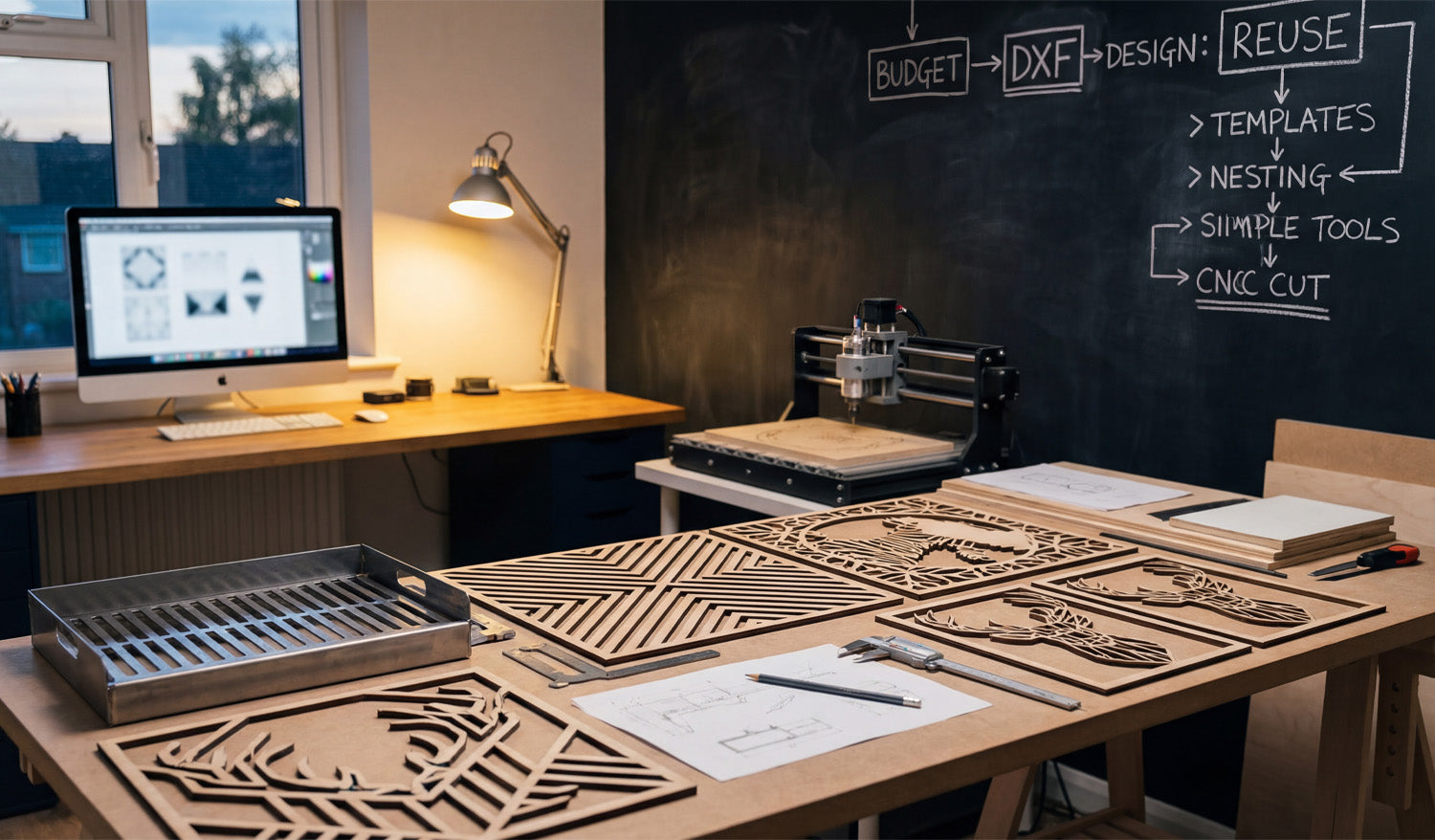
Running a profitable CNC business from a home workshop, like the one pictured above, isn't about having the largest industrial machine; it's about having the smartest workflow. If you look closely at the chalkboard on the wall, you will see a flowchart that reads: Budget -> DXF -> Design: Reuse -> Templates -> Nesting. This isn't just a scribble; it is the blueprint for scaling a hobby into a business. Today, we are going to break down how "Reusing" and "Nesting" your DXF files can double your output without doubling your work hours.
The Power of "Design: Reuse"
The chalkboard highlights a critical concept: Reuse. Many beginners make the mistake of designing every single project from scratch. This is a massive time-sink. Successful fabricators build a library of "Master Files."
In the foreground of the photo, you can see several geometric deer head cutouts. Once you have a verified, high-quality DXF for a design like this, it becomes a permanent asset. You can cut it in plywood for a rustic look today, and cut the same file in brushed aluminum for a modern office next week. To start building your own library of reusable assets, check out our Full Access Bundle, which gives you thousands of designs ready to be your shop's "Master Files."
Nesting: The Secret to Material Savings
The diagram also points to "Nesting." Whether you are cutting the wooden geometric panels on the table or the metal tray on the left, material cost is your biggest expense. Nesting is the process of arranging your DXF parts as close together as possible on your material sheet to minimize waste.
Good DXF files are clean and optimized, allowing your CAM software to nest them tightly without errors. If you are struggling with files that have "open loops" or won't nest correctly, you are throwing money in the scrap bin. Always start with optimized vectors to ensure you get the most out of every square inch of wood or steel.
One Design, Multiple Applications
This image perfectly illustrates the versatility of DXF files. On the workbench, we see:
- Geometric Wood Art: detailed, decorative designs perfect for Etsy stores or home decor markets.
- Metal Fabrication: A bent metal tray, showing that DXF files are also essential for functional, folded sheet metal parts.
The beauty of the digital workflow is that the skills transfer seamlessly. If you can set up a toolpath for the wooden deer, you are halfway to cutting the metal tray. It all starts with the same file format.
Streamline Your Shop Today
You don't need a factory to produce factory-quality work. You just need a clean workspace, a reliable machine, and a strategy for managing your digital assets. If you are ready to test this workflow, download some of our Free DXF Files and practice the "Reuse and Nest" strategy shown on the chalkboard.
For those turning this into a business, always ensure you are clear on the legal side of things by reviewing our License Agreement. Work smarter, minimize waste, and let your designs pay for themselves.




