

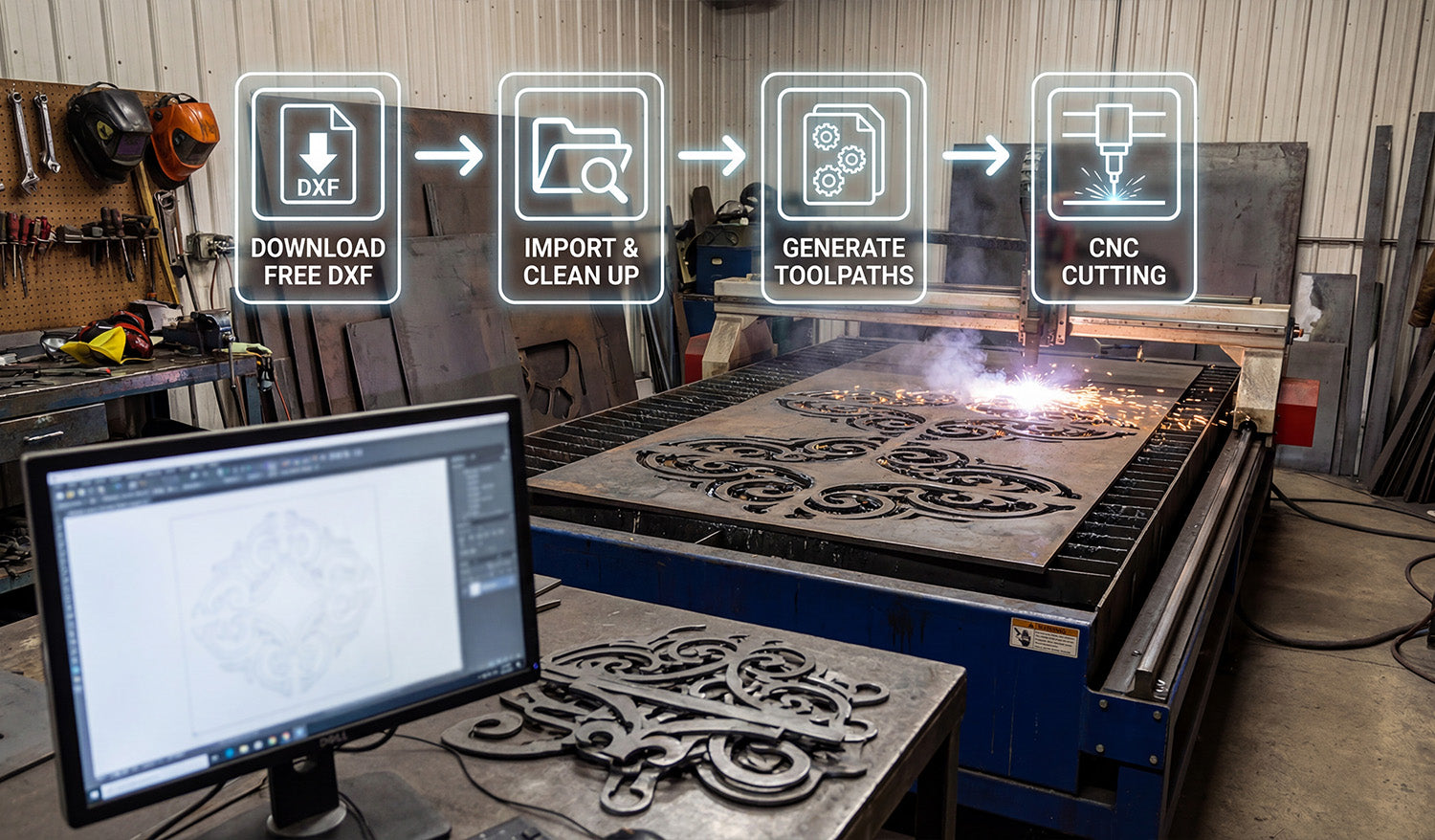
Free DXF files for CNC can save you time and money, but only if you know how to find safe files, read the license, and prepare them correctly for cutting.
What Are Free DXF Files for CNC?
DXF (Drawing Exchange Format) is one of the most common file types used to drive CNC machines. A free DXF file is simply a ready-made vector design that you can download without paying for the artwork itself. You can then import this file into your CAD or CAM software and generate toolpaths for a laser cutter, plasma table, router, or other CNC machine.
For makers, small shops, and side businesses, free DXF files are an easy way to test a new machine, learn the workflow, or launch simple products without investing in custom design work.
Where to Find Safe Free DXF Files
Not every free download on the internet is safe or CNC friendly. Look for sources that clearly focus on CNC cutting and provide clean vector files.
- Specialized CNC libraries: Websites dedicated to CNC designs usually offer DXF files that are already tested for laser, plasma, or router cutting.
- Reputable creators: Choose designers and shops that show real cut examples, not just pretty mockups.
- Clear download structure: A good free DXF pack often includes multiple formats (DXF, SVG, AI, PDF, PNG) and a short readme or license text.
If you want to start quickly, you can explore a curated collection of free designs here: Free DXF Files for CNC.
What “Free” Really Means: Licensing Basics
“Free” does not always mean “do anything you want.” Every DXF source should include a license that explains what is allowed and what is not.
- Personal use only: You can cut the design for yourself, but you cannot sell the final product.
- Commercial use allowed: You may sell physical products made from the design, but you cannot resell or share the digital files.
- Attribution or logo rules: Some licenses require giving credit to the designer or forbid removing their branding from previews.
Before you upload a free DXF design to your shop or marketplace, always read the license page. For example, DXF Files for CNC provides a detailed license agreement that explains how you can legally use both free and paid designs.
How to Download and Organize Free DXF Files
As soon as you start collecting free DXF files, good organization will save you hours later.
- Create clear folders: Organize by category such as “Animals,” “Wall Panels,” “Monograms,” or “Signs.”
- Rename smartly: Use simple, descriptive names like wolf-metal-art-dxf instead of random download codes.
- Keep licenses together: Save each pack’s license or readme in the same folder as the designs.
- Backup your library: Store your DXF collection on an external drive or cloud service in case your main PC fails.
How to Use Free DXF Files in Your CNC Workflow
Once you have your files and license sorted, you can move them into your normal CNC pipeline. The exact steps depend on your software and machine, but the general workflow is similar.
1. Import the DXF File
Open your CAD or CAM software and use the import function to bring in the DXF file. Make sure the units (millimeters or inches) match your project settings so the design is at the correct scale.
2. Clean Up and Check the Geometry
- Look for open paths that should be closed shapes.
- Remove duplicate lines that might cause the machine to cut the same path twice.
- Simplify extremely dense areas if your machine struggles with tiny segments.
3. Set Toolpaths and Cutting Order
Assign operations such as inside cuts, outside cuts, and engraving. When possible, cut small inner details first and outer profiles last, so small parts do not move or tip before the job finishes.
4. Choose the Right Material and Settings
Use cut settings that fit both your material and your machine: power, speed, pierce delay (for plasma), and number of passes (for lasers and routers). If you are using a design for the first time, work on scrap material to dial in a clean edge.
5. Run a Test Cut
Even with a clean, free DXF file, every machine behaves differently. A small test cut helps you confirm that:
- The design is scaled correctly.
- The kerf width is acceptable for your detail level.
- Holes, slots, and text remain readable after cutting.
Best Practices When Working with Free DXF Files
- Check before selling: Never list a product for sale until you have physically cut at least one sample.
- Avoid over-editing: If you heavily modify a free design, keep notes so you know which version you used and how it was changed.
- Standardize your settings: Once a design cuts perfectly, record the material and machine settings for fast repeat jobs.
- Respect the designer: Follow the license, do not resell the digital files, and avoid claiming the original artwork as your own.
When to Move from Free DXF Files to Paid Libraries
Free DXF files are perfect for learning, testing, and starting simple product lines. However, once your CNC work turns into a serious side hustle or full-time business, you may need:
- A larger, stylistically consistent library of designs.
- More unique artwork that competitors are not using.
- Commercial licensing that clearly covers high-volume sales.
At that point, investing in a premium bundle can make sense. Instead of hunting for individual files, you get thousands of coordinated designs in one place, ready for CNC cutting. For example, you can upgrade from free starter files to a full library like the Full Access DXF Bundle for CNC Cutting and build entire product lines around it.
Conclusion
Free DXF files for CNC are a powerful way to experiment, practice, and even launch your first products with almost no upfront design cost. By choosing safe sources, understanding the license, organizing your library, and following a simple CNC workflow, you can turn those free vectors into real metal, wood, and acrylic products that your customers will love.




