

Running a profitable CNC business often means diversifying your capabilities. Whether you are routing plywood, cutting steel with plasma, or engraving acrylic with a laser, the common language of your workshop is the DXF file. Looking at the workshop in the photo above, we see the perfect example of a versatile manufacturing environment. Let’s explore how to streamline production across different machines to maximize your shop's potential.
The Power of a Hybrid Workshop
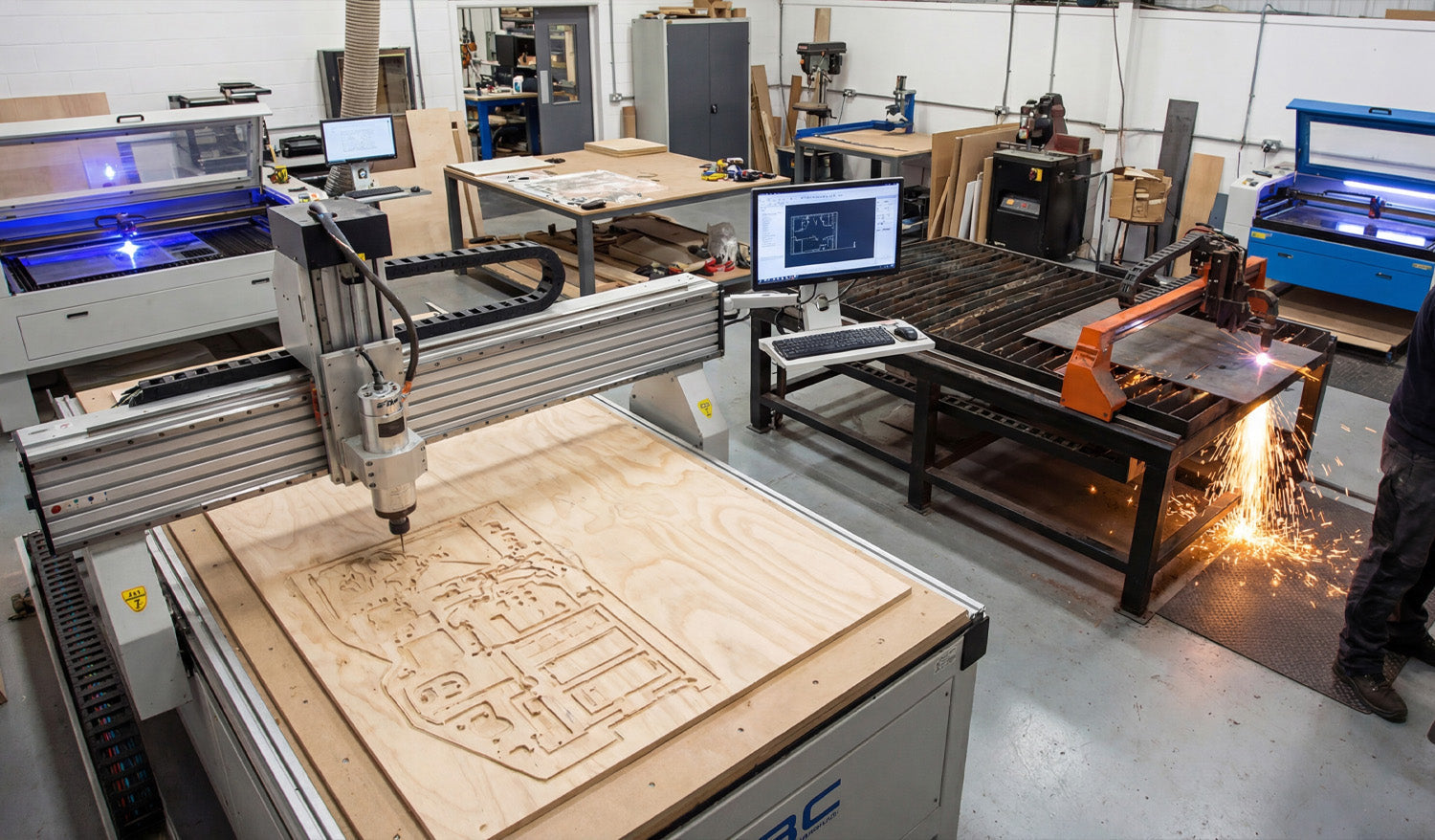
Take a close look at the image. On the left, we have a large-format CNC Router busy cutting nested parts out of a plywood sheet. On the right, a CNC Plasma Cutter is throwing sparks as it slices through a steel plate. In the background, you can see laser cutters ready for precision work.
This setup represents the dream for many fabricators: the ability to say "yes" to almost any customer request. But managing these different technologies requires understanding how a single design file adapts to different materials.
1. One Design, Multiple Revenue Streams
As an e-commerce and CNC expert, the biggest advice I give to shop owners is to repurpose your digital assets. A high-quality DXF design isn't just for one machine.
- The Router: That intricate geometric pattern can be carved into wood for interior wall art or furniture parts.
- The Plasma: The same file can be scaled up to cut a heavy-duty metal garden gate or fire pit.
- The Laser: Scale it down, and you have custom acrylic signage or personalized coasters.
If you want to have a library of designs that are ready for any of these applications, our Full Access Bundle provides a massive catalog to keep all your machines running.
2. Technical Nuances: Router vs. Plasma
While the DXF file is the common language, the "dialect" changes depending on the machine. Notice the operator in the photo monitoring the plasma cutter? He knows that plasma requires different settings than the router across the room.
- CNC Router (Wood): When cutting the plywood seen on the left, you must account for the radius of the drill bit. You need to ensure your CAM software handles "dog-bone" fillets if you are making interlocking parts. Holding the material down (vacuum or clamps) is critical.
- CNC Plasma (Metal): For the steel cutting on the right, your primary concern is kerf width (the material removed by the arc) and lead-ins/lead-outs. Without proper lead-ins, you will leave an ugly pierce mark on your finished part.
If you are new to these differences, try downloading some of our Free DXF Files to practice your toolpaths on scrap material before committing to a full sheet.
3. Workflow Efficiency
In a busy shop like the one pictured, the computer station in the center is the heart of the operation. This is where the design meets the real world. Keeping your DXF files organized and checking them for open vectors or overlapping lines before sending them to the machine is vital.
A clean file means the router won't stutter, and the plasma torch won't lose its arc. We pride ourselves on providing files that are optimized for this exact kind of professional environment.
Ready to Start Cutting?
Whether you are managing a full industrial floor or a garage workshop, the quality of your output starts with the quality of your input. If you have questions about which files work best for your specific machine setup, visit our FAQ page or reach out to us directly at info@dxffilesforcnc.com.




