

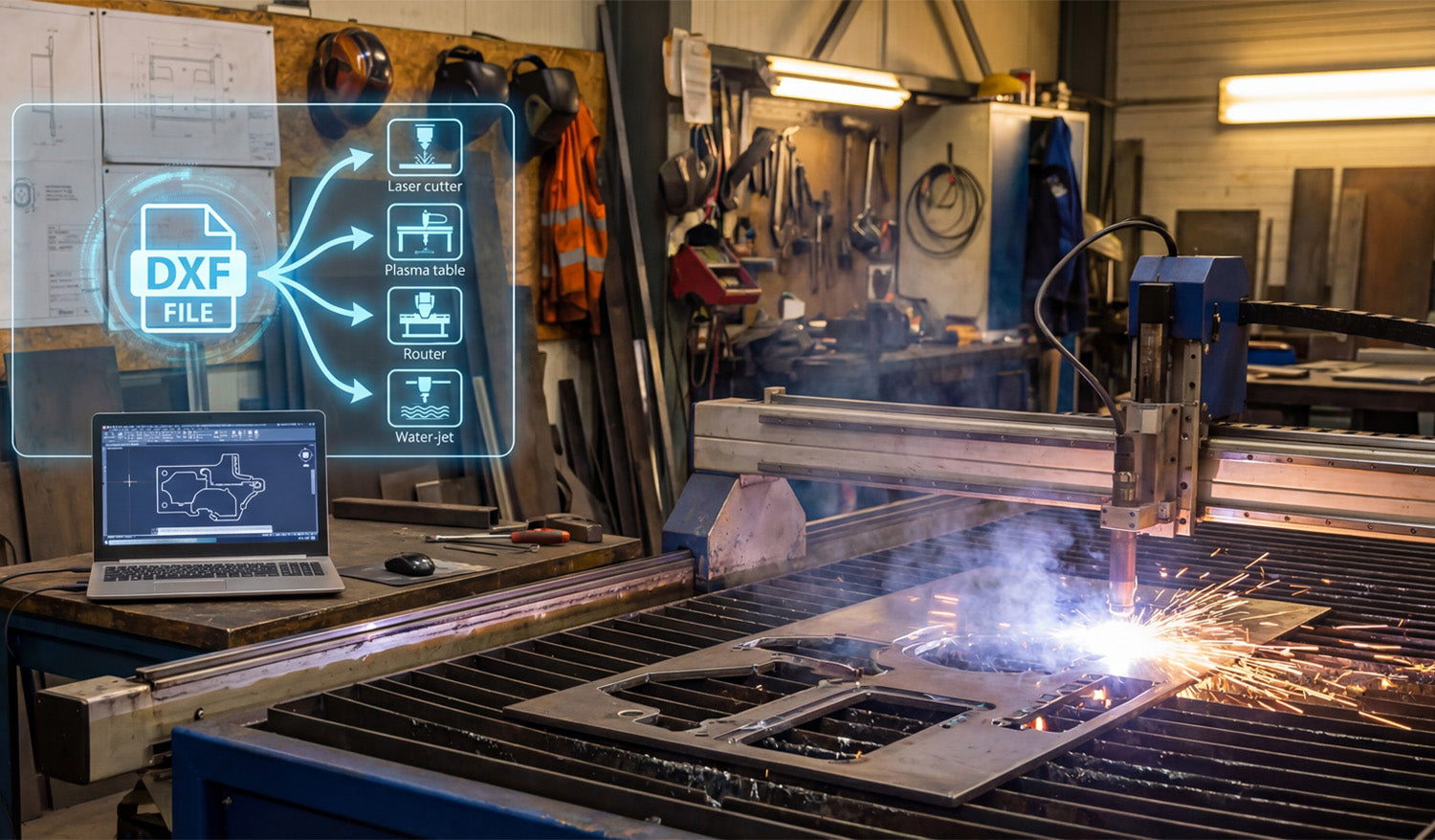
DXF files are the universal language of CNC machines. In this guide, you will learn why DXF matters, how it became the standard, the key benefits for makers and fabrication shops, how a DXF turns into a cut path, which tools to use for editing and conversion, a simple first project workflow, a quick troubleshooting checklist, and where to find ready-made DXF resources on DXF Files for CNC.
1. Why You Should Care About DXF
Picture this: You have designed a stunning wall-art panel, but when you load the artwork into your CNC plasma table the cut path looks like spaghetti. Nine times out of ten the culprit is a bad file format. DXF (Drawing eXchange Format) is the industry’s “lingua franca” — the safest way to move design data from your computer to the shop floor with zero guesswork. Learning to use it means less scrap, faster turnaround, and cleaner cuts.
Quick takeaway: Mastering DXF is the single fastest productivity win for any CNC hobbyist or fabrication shop.
2. A 60-Second History Lesson
- 1982: Autodesk releases DXF alongside AutoCAD so different CAD systems can speak to each other.
- 1990s: CNC manufacturers adopt DXF import to bypass hand-coding G-code.
- Today: Virtually every laser, plasma, router, or water-jet table can open a DXF right out of the box — and most CAM packages default to it.
3. Why DXF Still Reigns Supreme
| Benefit | What It Means for You |
|---|---|
| Platform-agnostic | Open it in AutoCAD, Fusion 360, DraftSight — whatever you like. |
| Lossless scaling | Vector math keeps edges razor-sharp from 1-inch jewelry to 10-foot signs. |
| Lean file size | Email projects without blowing up your client’s inbox. |
| Editable layers | Toggle text or drill points on or off without redrawing the entire file. |
| Community support | Thousands of free or premium DXFs are shared daily across maker forums. |
4. Under the Hood — How a DXF Becomes a Cut Path
- Entities: Lines, arcs, circles, and polylines are stored with exact X/Y/Z coordinates.
- Header: Global data such as units, layer names, and drawing extents.
- CAM import: Your software converts those vectors into tool moves (G-code or proprietary code).
- CNC execution: The machine follows the path, fires the torch or spindle, and the magic happens.
5. Opening, Editing, and Converting Like a Pro
| Task | Best-in-Class Tools | Pro Tip |
|---|---|---|
| View and measure | FreeCAD, Autodesk Viewer (web) | Perfect for quick client approvals. |
| Heavy editing | AutoCAD, Fusion 360, DraftSight | Use distinct colors per layer to avoid accidental deletions. |
| Bitmap → DXF | Inkscape (Trace Bitmap) | After tracing, run “Simplify” to remove excess nodes — your torch will thank you. |
6. Step-by-Step: Your First DXF-Powered Project
- Grab a design: Download a free starter pack from our homepage: DXFFilesForCNC.com.
- Import into CAM: Use File → Import → .dxf in your CAM software.
- Configure material and tool: Example: 11-ga mild steel, 45 A nozzle, 110 ipm feed.
- Simulate: Check pierce order; lead-ins should stay off finished edges.
- Cut: Keep air pressure stable and watch for dross — adjust settings if needed.
- Post-finish: Give it a light flap-disk pass, then powder-coat for a showroom-ready look.
7. Troubleshooting Cheat-Sheet
- Broken paths? Combine open polylines with PEDIT → Join (AutoCAD) or Combine (Inkscape).
- Wrong scale? Verify inch ↔ millimeter settings during import.
- Burn-back on corners? Decrease feed slightly or add corner ramps in CAM.
8. Resources Exclusively from DXF Files for CNC
- 📥 Free design bundle: Ten crowd-favorite wall-art DXFs — download instantly from our Free DXF Files collection.
- 📚 Blog library: Deep dives on feed-rate math, metal-finish hacks, and more in our CNC and DXF guides.
- 🤝 Need help? Our team answers every question within 24 hours — contact us here.
9. Ready to Speak CNC Like a Native?
DXF files are not just another format — they are the Rosetta Stone between your creative mind and a spinning, sparking, precision-cutting robot.
Explore our ever-growing DXF catalog today, fire up that machine, and turn pixels into profit.




