

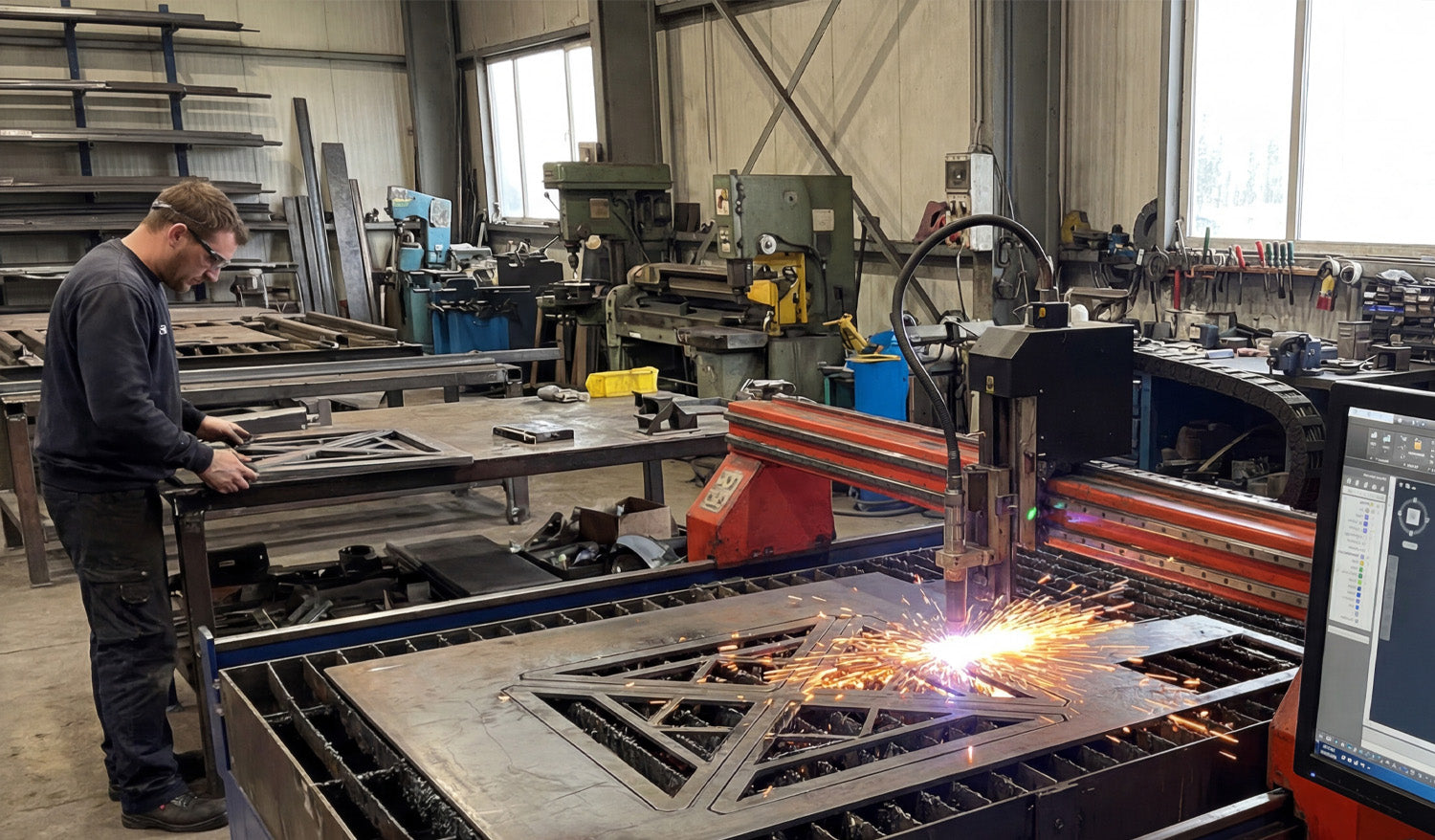
High-quality DXF files are the foundation of reliable CNC cutting; they control toolpaths, edge quality, cutting time, and how profitable each job can be.
Why DXF Quality Matters in CNC Cutting
Every CNC cut starts long before the machine powers on. The moment you load a DXF file, you are telling the controller exactly where to move, when to pierce, and how to follow each contour. If the DXF is clean and well-prepared, the machine runs smoothly. If the DXF is messy, the CNC will simply follow bad instructions and turn them into bad cuts.
This is true for laser cutters, plasma tables, routers, and water-jet machines. A high-quality DXF file is just as important as a sharp nozzle, good consumables, or a stable fixture.
How Low-Quality DXF Files Cost You Time and Money
On the surface, two DXF files can look similar on screen. But once you start cutting, the difference becomes obvious. Low-quality DXF files create problems such as:
- Jagged edges and extra tool marks: Too many tiny segments and noisy curves make the machine stop and start constantly, leaving rough edges.
- Double cuts: Duplicate lines or overlapping geometry cause the tool to run over the same path twice, overheating the material and wearing consumables faster.
- Open paths: Shapes that are not fully closed can confuse CAM software and result in missing cuts or unwanted rapid moves.
- Wrong scale or units: Files created in inches and imported as millimeters (or the opposite) produce parts that simply do not fit.
- Unnecessary detail: Extremely fine detail that is smaller than your kerf or tool diameter will not survive the cutting process and may break your design.
- Extra cleanup time: If you need to fix every DXF you download, you lose hours that could be spent actually cutting and selling parts.
In a busy shop, these issues quickly turn into real costs: scrapped material, extra consumables, wasted machine time, and missed deadlines.
What Makes a High-Quality DXF File?
A good DXF file is not just “pretty.” It is intentionally built to work well on real CNC machines. High-quality DXF files usually share these traits:
- Clean, continuous geometry: Shapes are drawn as polylines or smooth curves rather than hundreds of tiny segments.
- Closed profiles for cutting: Outer and inner contours are fully closed so the CAM software can recognize pockets and outlines correctly.
- No duplicates or overlaps: Each path is unique, with no stacked lines that cause double cuts.
- Logical layer structure: Different operations (cut, engrave, mark) are separated by layers or colors for easy CAM setup.
- Reasonable detail level: Features are sized with real-world kerf and material strength in mind; fine elements are thick enough to survive cutting and handling.
- Correct units and scale: The design opens at a realistic size in both CAD and CAM software, without guesswork.
When you open a high-quality DXF, you spend almost no time fixing geometry. You can go straight to nesting, toolpath, and cutting.
From DXF to Finished Part: The Role of a Good File in the CNC Workflow
To see why DXF quality matters so much, it helps to look at a typical CNC cutting workflow:
- Import: You open the DXF file in your CAD or CAM software.
- Check geometry: You verify that all shapes are closed, scaled correctly, and assigned to the right layers.
- Nesting and layout: You arrange parts on the sheet for minimal waste.
- Toolpath creation: You assign lead-ins, lead-outs, kerf compensation, pierce points, and cut order.
- Simulation: You run a preview to confirm that toolpaths follow the expected routes.
- Cutting: You send the code to the machine and cut the parts.
When the DXF is high quality, steps 2–4 are quick and predictable. When the DXF is poor, you may get stuck fixing gaps, deleting duplicates, and trying to understand why your simulation looks wrong. That is exactly why the file itself is so important.
Why High-Quality DXF Files Improve Edge Quality
CNC cutting is all about motion control. Clean curves and balanced line segments allow the machine to maintain a steady speed. That leads to:
- Smoother edges: Less visible stepping and fewer vibration marks.
- More consistent kerf: The cut width stays stable because the machine is not constantly slowing down and speeding up for noisy geometry.
- Better fit and finish: Parts line up correctly with less grinding, filing, or sanding after cutting.
In metal art and decorative panels, this shows up as cleaner details and nicer curves. In industrial parts, it shows up as better tolerances and fewer rejects.
How Quality DXF Files Save Machine Time
Every unnecessary segment, duplicate line, or tiny island adds extra motion to the machine. That costs time and money, especially on plasma and laser systems where pierces and direction changes are expensive actions.
- Fewer pierces: Smartly drawn DXFs combine paths where possible to reduce pierce count.
- Optimized cut paths: A clean file makes it easy for CAM software to choose efficient toolpaths.
- Shorter cycle times: Less wasted motion means more parts per hour.
Over hundreds of jobs, the difference between a good DXF and a bad one can be measured in full workdays of recovered machine time.
Creating Your Own High-Quality DXF Files
If you design your own files, a few habits will keep your DXFs machine-friendly:
- Draw with polylines: Use polylines and arcs instead of many separate tiny segments.
- Keep everything on a sensible grid: Snapping to grid or object points avoids microscopic gaps.
- Close shapes deliberately: Use tools that explicitly join and close contours.
- Use layers from day one: Separate reference geometry, cutting paths, and engraving paths.
- Test cuts: Cut your design at real size on the actual machine and revise the DXF if needed.
Choosing Reliable DXF Sources
Not everyone has time to draw every project from scratch. That is where professional DXF libraries help. When evaluating a new source of files, consider:
- Are the designs CNC-focused? They should be clearly made for laser, plasma, or router cutting, not just generic digital art.
- Is the geometry tested? Reputable creators test cut their designs and refine them based on real machine results.
- Is the license clear? For business use, you need permission to sell physical products made from the files.
- Is the library consistent? A consistent style and structure makes it easier to build product lines.
Using a proven DXF library lets you focus on materials, machine tuning, and customers instead of constant file repair.
Conclusion
In CNC cutting, the quality of your DXF files is just as important as your machine, consumables, and material. High-quality DXFs give you smoother edges, faster cycle times, less scrap, and more predictable results. Whether you design your own files or use a professional library, treating the DXF as a critical part of your process will make every cut cleaner, easier, and more profitable.




