

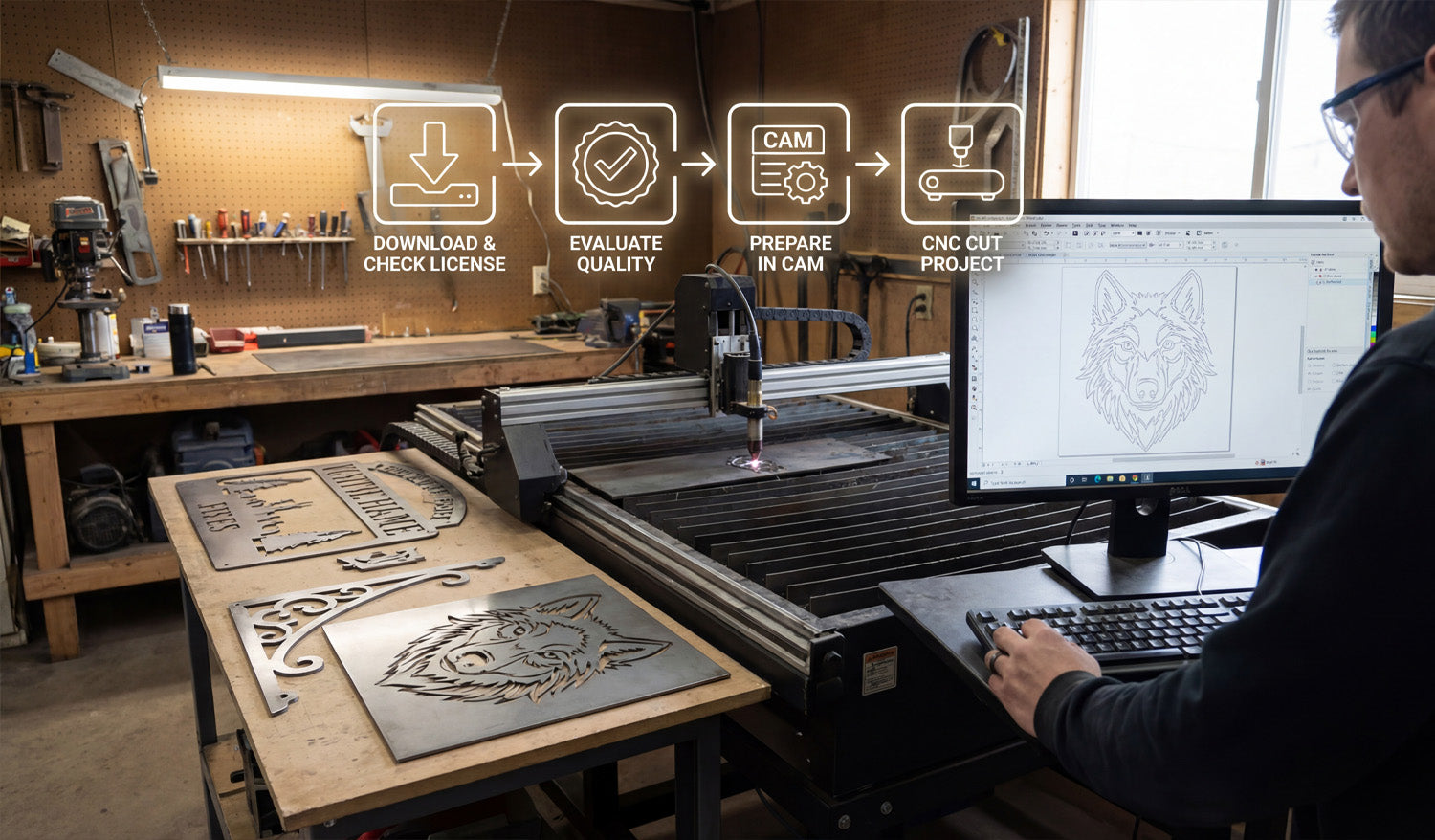
Free DXF files can help you test ideas, reduce design time, and launch new CNC projects faster—if you know how to find, check, and prepare them.
What Are Free DXF Files?
DXF (Drawing Exchange Format) files are 2D vector drawings made of lines, arcs, and curves. A “free DXF file” is simply a DXF design you can download at no cost from a website, forum, or community library.
You can use these files as ready-made artwork, as a starting point to customize your own designs, or as practice material when you are learning how to run a CNC laser, plasma, router, or water-jet machine.
Benefits of Using Free DXF Files in CNC Projects
Free DXF files can be surprisingly powerful in your workshop if you use them the right way.
- Save design time: Skip the blank page and start from a design that is already drawn.
- Test your machine: Use free files to dial in speeds, power, kerf, and feeds on new materials.
- Prototype ideas: Try new product concepts without paying a designer or spending hours in CAD.
- Inspire new products: Study how good files are built and adapt layouts, proportions, and themes for your own designs.
- Learn the workflow: Practice importing, nesting, and cutting DXFs before you move to critical customer jobs.
Where to Find Free DXF Files Safely
You can find free DXF files in many places online, but quality and licensing vary a lot. Look for sources that:
- Focus specifically on CNC cutting and engraving (not just random clipart).
- Offer clear license information about personal and commercial use.
- Provide preview images so you can see what the final cut should look like.
- Have organized categories like animals, signs, panels, brackets, and so on.
On your own site, you might maintain a dedicated section for free designs. For example, you can browse and download sample designs from a collection like Free DXF Files and test them on your laser, plasma, or router before investing in larger bundles.
Always Check the License Before You Cut
“Free” does not always mean “do anything you want.” Before you use a DXF file in a paid project or product line, read the license carefully.
- Personal use only: You can cut the design for yourself or as a gift, but not sell physical products made from it.
- Commercial use allowed: You can sell physical items made from the design (signs, wall art, brackets, etc.).
- No digital resale: In most cases you cannot resell, share, or repackage the DXF file itself as a digital product.
- Attribution requirements: Some licenses ask you to credit the designer or site.
If the license is unclear, treat the file as personal-use only or choose a file from a source with clearly written terms.
How to Evaluate the Quality of a Free DXF File
Not every free DXF is cut-ready. Before you rely on a file, open it in your CAD or CAM software and do a quick quality check.
- Closed paths: Outer profiles and inner cutouts should be fully closed loops, not “almost closed” shapes with tiny gaps.
- No duplicate lines: Make sure there are no overlapping paths that could cause double cuts.
- Reasonable node count: Curves should be smooth with a sensible number of points, not thousands of tiny segments.
- Correct scale: Measure the design; it should import at a realistic size in mm or inches.
- Material-friendly detail: Thin bridges and tiny shapes should be big enough for your material thickness and kerf.
If a file fails these tests, you can either clean it up or move on to a better DXF that saves you time instead of creating headaches.
How to Prepare Free DXF Files for Your CNC Machine
Even a good DXF file needs a little setup work before you cut it. Here is a simple workflow you can reuse:
- Import the DXF: Open the file in your CAD or CAM software.
- Confirm units and size: Measure a known feature and scale if needed so the part matches your target dimensions.
- Clean the geometry: Close open paths, delete duplicates, and remove stray points or tiny islands.
- Organize layers: Separate cut, engrave, and reference geometry into layers or colors if they are not already organized.
- Match detail to material: If the design is too detailed for your material or plasma kerf, simplify small features.
- Set toolpaths in CAM: Assign inside cuts, outside cuts, and engraving passes with proper speed, power, and kerf compensation.
- Run a test cut: Use scrap material to verify fit, edge quality, and overall look before running a full sheet or final product.
Project Ideas Using Free DXF Files
Free DXF files are perfect for learning, testing, and even launching simple product lines. Here are a few ideas:
For Laser Cutters and Engravers
- Decorative wall art and panels.
- Custom keychains and ornaments.
- Nameplates, door signs, and small plaques.
- Engraved coasters, cutting boards, and gift items.
For CNC Plasma Cutters
- Metal wall art and monograms.
- Fire pit panels and grills.
- Brackets, tabs, and gussets for fabrication.
- House number signs and yard art.
For CNC Routers
- Wooden signs and 2.5D plaques.
- Simple furniture parts and brackets.
- Shelf supports, jigs, and fixtures.
- Inlay patterns and decorative panels.
Organizing Your Free DXF Library
As you download more free DXF files, a little organization will save you a lot of time later.
- Create folder groups like Laser, Plasma, and Router.
- Inside each, organize by category: Animals, Signs, Panels, Brackets, and so on.
- Use clear file names with type, size, and maybe material (for example, wolf_wall_art_600mm_steel.dxf).
- Keep notes on files you have already tested: best material, power, and speed settings.
Over time, your “free DXF” folder can become a powerful design library that you reuse again and again.
When to Move from Free DXF Files to Paid or Custom Designs
Free DXF files are great, but they have limits—especially if you run a business.
- Originality: Popular free designs are used by many shops, so products may not feel unique.
- Depth of content: Free libraries are usually small compared to large commercial bundles.
- Support and consistency: Paid design sets are often more consistent in style, sizing, and cut quality.
Once you know which styles sell or which categories your customers love, investing in high-quality DXF bundles or custom artwork can help you stand out and scale your CNC shop faster.
Conclusion
Free DXF files are a smart way to explore CNC projects, test new materials, and speed up your design process without extra cost. By choosing reputable sources, checking the license, cleaning the geometry, and organizing your downloads, you can turn “free files” into real value on your laser, plasma, router, or water-jet machine. Start small, build a clean library, and when you are ready, blend your favorite free designs with premium or custom DXF artwork to grow a strong CNC product line.




