

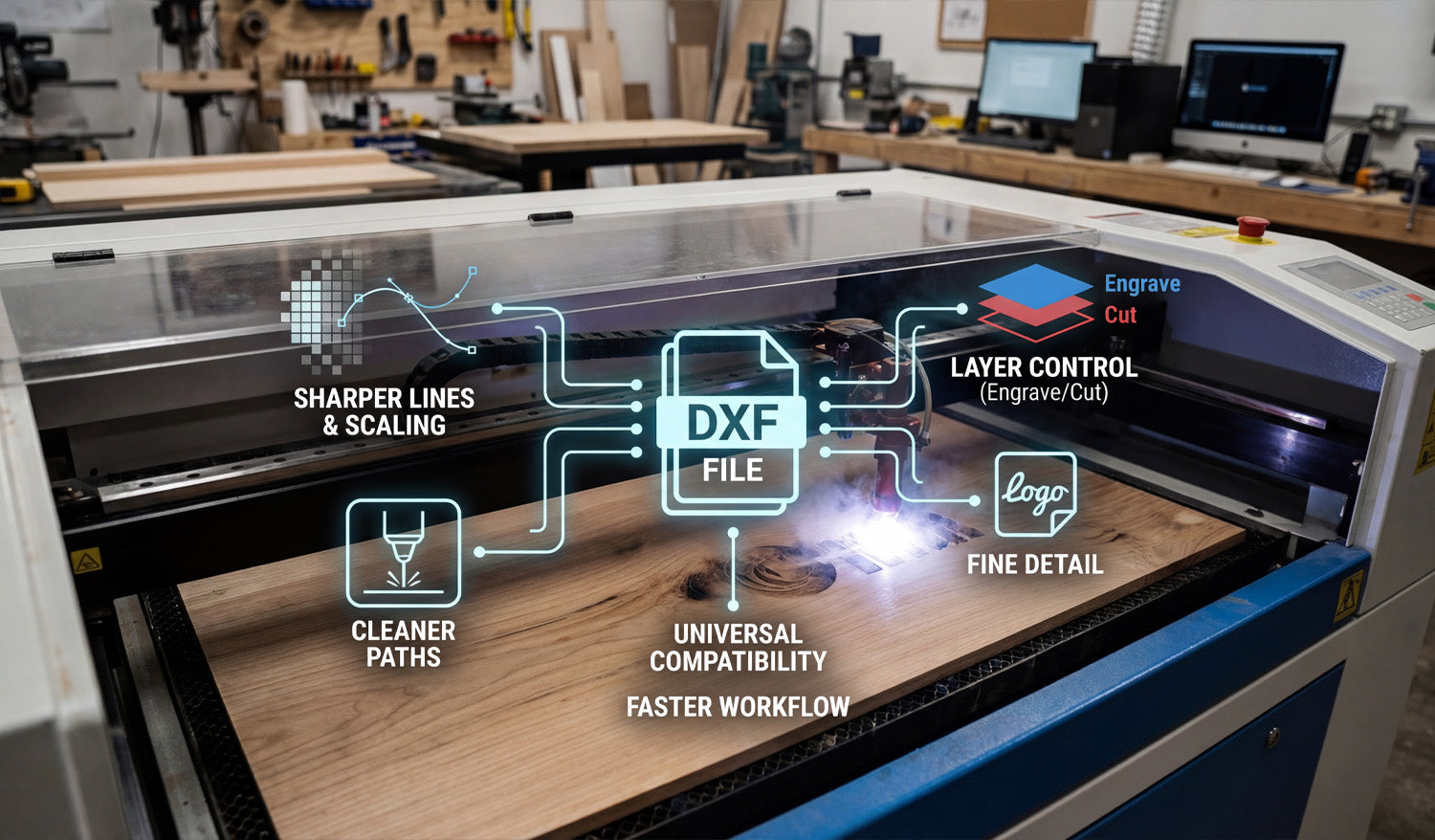
Using DXF files for your CNC laser engraving projects makes it easier to get crisp details, clean lines, and repeatable results while keeping your workflow simple and efficient.
What Is a DXF File in Laser Engraving?
DXF (Drawing Exchange Format) is a 2D vector file type that stores shapes as lines, arcs, and curves instead of pixels. For CNC laser engraving, this means your design is made of precise paths that the machine can follow directly, rather than a blurry image the software has to guess from.
DXF files are supported by most CAD, graphics, and CAM programs, which makes them a natural “universal language” for CNC laser engravers.
Reason 1: Sharper Lines and Unlimited Scaling
One of the biggest advantages of using DXF files for laser engraving is that vector geometry never becomes pixelated or fuzzy.
- Crisp engravings: Lines and curves stay sharp at any size because they are defined by math, not pixels.
- Unlimited scaling: You can resize artwork for small keychains or large wall panels without losing quality.
- Consistent detail: Thin outlines, logos, and text stay clean and readable when designed correctly.
If you have ever tried to engrave a low-resolution JPG and been disappointed with jagged edges, switching to DXF-based artwork is a big upgrade.
Reason 2: Cleaner, Faster Engraving Paths
DXF files describe exact paths, which helps your laser engraver move more efficiently.
- Smooth motion: Clean curves and polylines let the laser head move at a steady speed, improving engraving quality.
- Less back-and-forth: Vector paths can be optimized in CAM to reduce wasted travel and overlapping passes.
- Shorter job times: Efficient paths mean the laser spends more time engraving and less time repositioning.
By starting with a clean DXF file, you give your CAM software the best possible data to generate compact, efficient engraving toolpaths.
Reason 3: Easy Control Over Engrave vs Cut
CNC laser projects often mix engraving and cutting in a single job—engrave a logo, then cut out the outer shape. DXF files make this easy to manage.
- Layers for operations: Put engraving lines on one layer and cut lines on another so they can use different power and speed settings.
- Color mapping: Many laser controllers let you assign different colors in the DXF to different power levels and passes.
- Safer workflow: Clear separation means you are less likely to accidentally cut where you only meant to engrave.
With a well-organized DXF file, you can control every part of the design—deep cuts, light scoring, and filled engraving—using simple layer or color settings.
Reason 4: Better Text, Logos, and Fine Detail
Text and logos are at the heart of many laser engraving projects: nameplates, awards, signs, ID tags, and branded products. DXF files handle these elements very well.
- Editable vector text: You can adjust size, spacing, and fonts in CAD or vector software, then convert text to outlines for reliable engraving.
- Logo accuracy: Company logos and icons can be traced or drawn as vectors and stored in DXF format for long-term use.
- Fine line control: You can define stroke thickness and spacing in detail so small elements engrave cleanly without filling in.
Because DXF files are based on vectors, even very small text and thin lines can remain readable when engraved at the right scale.
Reason 5: Consistent Results Across Different Lasers
As your workshop grows, you may use different brands or sizes of CNC laser engravers. DXF files help keep your designs portable and consistent.
- Universal format: Most laser software can import DXF, regardless of machine brand.
- Same artwork, different settings: You can reuse the same DXF file and simply adjust speed, power, and frequency for each machine or material.
- Easier outsourcing: If you send work to another shop, DXF files are widely accepted and easy to use.
This portability means your artwork library stays useful even if you upgrade machines or add new equipment later.
Reason 6: Flexible Design Edits and Personalization
Many CNC laser engraving projects are customized: names, dates, serial numbers, or personalized messages. DXF-based workflows make these changes simple.
- Quick text changes: Edit names or messages directly in your CAD/vector program and re-export the DXF.
- Modular layouts: Keep fixed artwork (logos, borders) as one DXF and swap in different nameplates or text blocks as needed.
- Batch personalization: Set up templates where only a small part of the DXF changes from job to job.
This approach is ideal for engraving businesses that produce repeat designs with unique customer details.
Reason 7: Smaller File Sizes and Easier Storage
Complex image engravings can create very large raster files. DXF files, being vector-based, stay relatively compact even with detailed designs.
- Efficient storage: Large design libraries take up less space when stored as DXF.
- Faster loading: Laser software can often load vector DXFs faster than high-resolution bitmaps.
- Simple backups: Smaller files are easier to back up and sync between computers or cloud storage.
Over time, a well-organized DXF library becomes a high-value asset that is easy to maintain and move between systems.
How DXF Files Fit into a Typical Laser Engraving Workflow
Here is how DXF files usually plug into a CNC laser engraving process:
- Create or edit artwork: Design your layout in CAD or vector software (text, logos, borders, frames).
- Organize layers and colors: Separate engraving and cutting paths into different layers or colors.
- Export as DXF: Save or export the design in DXF format.
- Import into laser software: Open the DXF, assign power/speed settings to each layer or color, and position the design on the material size.
- Simulate and preview: Check the order of operations and verify scale.
- Engrave and cut: Run a test on scrap material if needed, then engrave the final piece.
Common Mistakes When Not Using DXF (or Using It Poorly)
Understanding what can go wrong helps you see why clean DXF files are valuable:
- Low-resolution images: Engraving small JPGs can lead to fuzzy edges and unreadable text.
- Unscaled artwork: Designs imported at the wrong size cause cramped layouts or wasted space.
- No layer separation: Cutting and engraving lines mixed together increase setup time and risk mistakes.
- Messy vectors: Auto-traced files with too many nodes can slow down engraving or cause jittery motion.
By investing a little time to prepare clean DXF artwork, you avoid these problems and get more consistent results.
Checklist: Is Your DXF Ready for CNC Laser Engraving?
Before sending a job to your laser engraver, run through this quick DXF checklist:
- ✔ The design is vector-based, not just a low-res image.
- ✔ All important outlines and text are converted to curves and scale correctly.
- ✔ Engraving and cutting paths are on separate layers or colors.
- ✔ Detail level matches your material and lens (no micro details that will burn away).
- ✔ There are no duplicate or overlapping lines where you only want a single pass.
- ✔ Text, logos, and fine elements look clear at the final size you plan to engrave.
Conclusion
DXF files are one of the best foundations you can use for CNC laser engraving projects. They give you crisp lines, infinite scaling, clean engraving paths, and flexible control over cutting versus engraving—all in a format that works across most CAD, CAM, and laser systems. Whether you are engraving custom gifts, branded products, signs, or industrial labels, building your workflow around DXF files will make your jobs faster, cleaner, and more consistent on every CNC laser engraver you use.




