

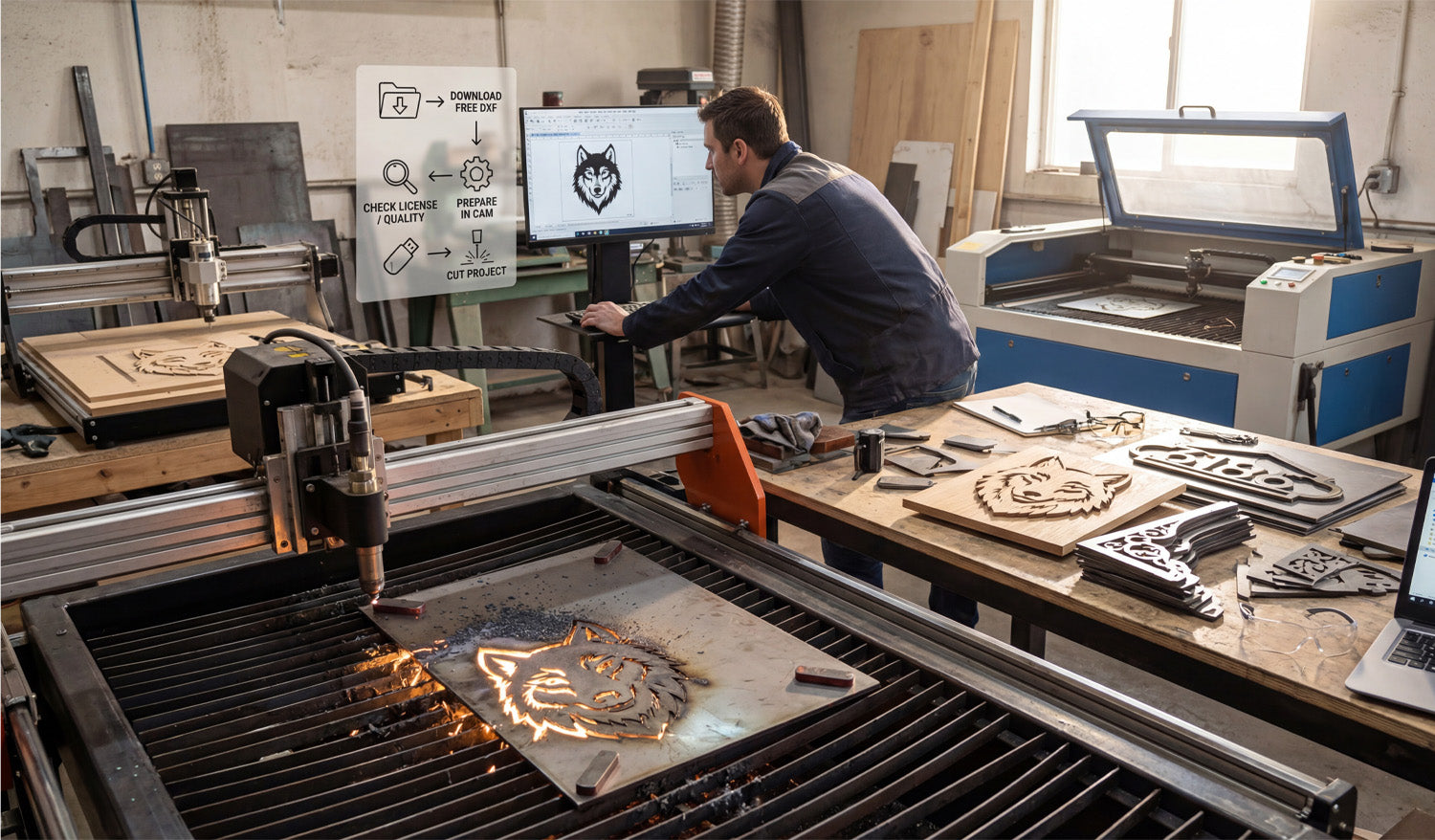
Success in a modern CNC workshop isn't just about owning the most expensive machinery; it is about establishing a seamless workflow that turns digital concepts into physical profit. As seen in the image above, a single high-quality DXF design can be the foundation for multiple product lines, whether you are carving intricate wood art on a router or slicing through heavy-gauge steel with a plasma cutter. Understanding the journey from clicking "download" to watching the sparks fly is what separates hobbyists from professional fabricators.
The 4-Step Profit Workflow
If you look at the overlay in our workshop photo, you will see a simplified roadmap that every successful shop follows. Let's break down these critical steps:
- 1. Download Free DXF: It all starts with the file. You don't always need to design from scratch. Using resources like our Free DXF Files allows you to test new ideas without the upfront time investment of CAD drawing.
- 2. Check License / Quality: This is the step most beginners skip, but professionals never do. Before you cut, ensure the nodes are clean (no open loops) and that you have the legal right to sell the finished product. You can review our Legal Usage License Agreement to understand exactly how you can monetize our designs.
- 3. Prepare in CAM: Whether you use SheetCam, VCarve, or Fusion 360, this is where you apply your toolpaths. The wolf design in the photo requires different settings for the wood router (left) compared to the plasma table (front).
- 4. Cut Project: The final step is execution. With a verified, clean DXF file, your machine can focus on what it does best—cutting precision parts.
One Design, Infinite Materials
The beauty of vector art is its versatility. In the photo, notice how the same "Wolf Head" design is being processed in two completely different ways. On the left, a CNC Router is milling the design into wood, creating a warm, rustic piece perfect for home interior decor. In the foreground, a plasma cutter is blasting through a steel sheet to create a durable, industrial piece suitable for outdoor gates or garden art.
By using a diverse library, such as our Full Access Bundle, you can offer your customers the same design in various finishes—wood, acrylic, stainless steel, or mild steel—without doing any extra design work.
From Scrap to Sales
Look at the workbench on the right side of the image. You see finished products like the "8186" address sign and decorative brackets. These items represent the bread and butter of many CNC businesses. A small sheet of metal often costs very little, but once you apply a custom address via a DXF cut, its value skyrockets.
To keep your business efficient, always keep your laptop close to the production area (as shown on the right). Being able to quickly access your file library and make minor adjustments to scale or nesting can save you hours of downtime.
Need Help Getting Started?
If you are unsure about which files work best for your specific machine, or if you are running into compatibility issues with your CAM software, check out our Frequently Asked Questions. We are here to help you turn those digital lines into solid revenue.




