

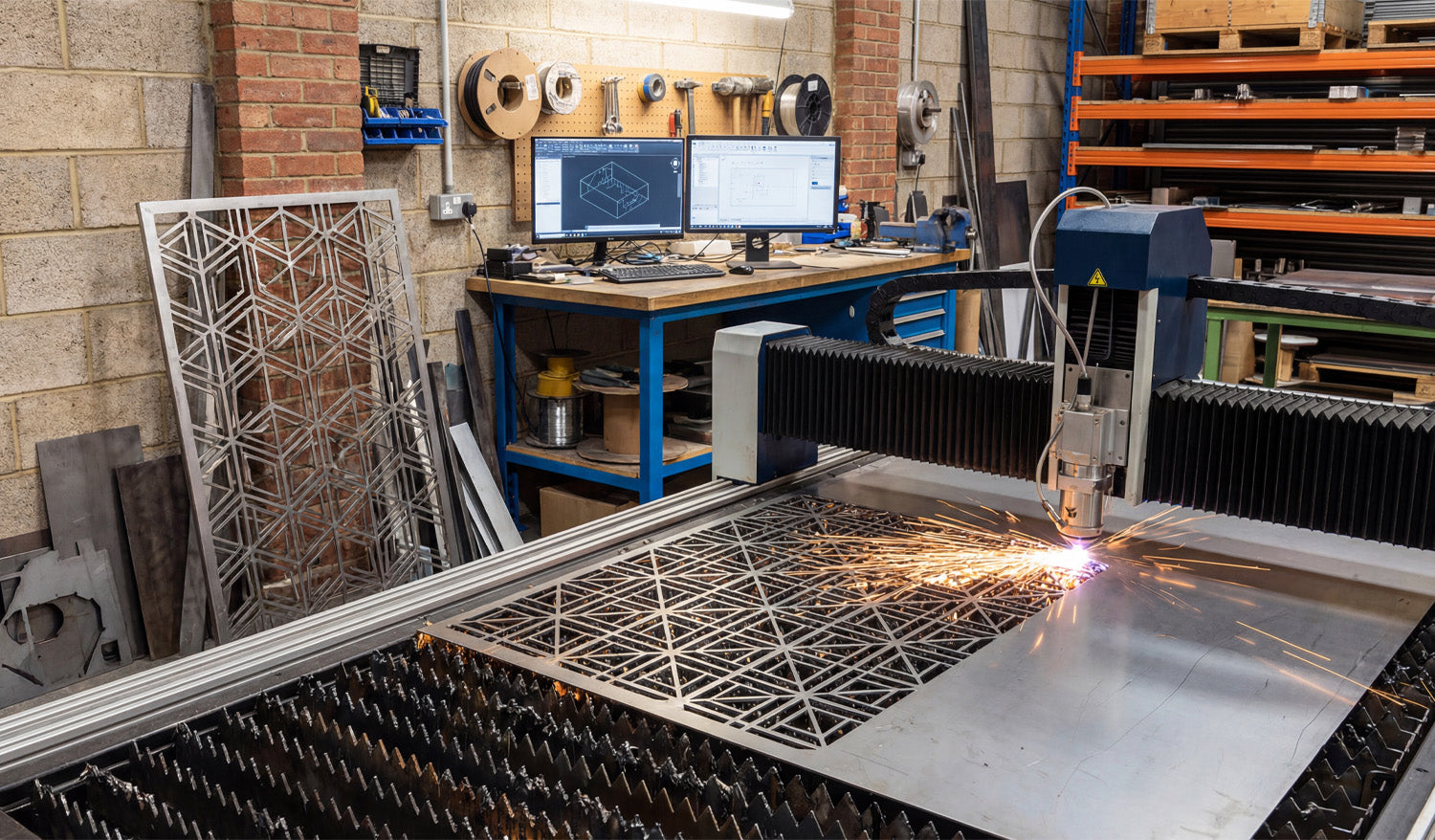
Using the right software tools for working with DXF files in CNC projects can save you hours of cleanup, reduce scrap, and help your laser, plasma, router, or mill run smoother and more profitably.
Why Your DXF Toolchain Matters
A DXF file is the bridge between your design ideas and your CNC machine. If you only use basic viewers or random editors, you end up fighting bad geometry, scale issues, and messy imports. A good DXF toolchain covers three main jobs:
- Creating and editing DXF designs (CAD and vector tools).
- Cleaning and optimizing DXF geometry for CNC.
- Converting DXF into CNC-ready toolpaths (CAM and controller software).
Below are some of the best tool types to consider and how they fit into a clean, CNC-friendly workflow.
1. CAD Software for Drawing and Editing DXF Files
CAD (Computer-Aided Design) software is often the primary tool for creating and editing DXF files. These tools give you precise control over dimensions, layers, and geometry.
- Professional CAD systems: Ideal when you need full control over dimensions, constraints, layers, and parametric design. Great for mechanical parts, brackets, fixtures, and sheet-metal patterns.
- 2D drafting tools: Lighter-weight alternatives focused on 2D drawings. Often enough for flat panels, signs, and decorative work.
-
Key features to look for:
- Reliable DXF import/export with multiple version options.
- Support for layers, colors, and line types.
- Powerful snap and constraint tools for precise geometry.
- Options to simplify curves and manage node counts.
If your CAD system can produce clean DXF files with correct units and layers, every other step in your CNC workflow becomes easier.
2. Vector Graphics Editors for Artwork and Logos
For signs, wall art, logos, and decorative panels, vector graphics software can be just as important as CAD. These tools are great for freeform artwork that still needs to export as DXF.
- Ideal use cases: Logos, text-based designs, monograms, ornaments, and intricate line art.
-
Useful features:
- Converting text to outlines so it engraves or cuts correctly.
- Path operations like union, subtract, and intersect for building complex shapes.
- Control over strokes vs fills to match your laser or router workflow.
- Export options for DXF and SVG, often used together in CNC jobs.
When paired with a CAD tool, a vector editor lets you blend clean engineering geometry with creative artwork inside the same DXF pipeline.
3. DXF Viewers and Quick Inspection Tools
Before a file ever reaches CAM or a CNC machine, a simple DXF viewer can help you catch obvious problems quickly.
-
What these tools are best for:
- Checking overall size and verifying units.
- Inspecting layer structure and colors.
- Looking for broken profiles or missing details.
- Benefits: They are fast, lightweight, and easy for operators to use without touching the master design file.
Using a dedicated viewer as a “first pass” saves time and keeps accidental edits out of your main CAD projects.
4. DXF Cleanup and Optimization Utilities
Even well-designed DXF files can pick up errors: duplicate lines, tiny gaps, or too many nodes from tracing or heavy editing. Cleanup tools are designed to fix these issues.
-
Key cleanup functions:
- Remove duplicates: Deletes overlapping lines that cause double cuts.
- Close gaps: Joins near-miss endpoints into fully closed contours.
- Simplify paths: Reduces node count on curves while preserving shape.
- Remove junk geometry: Gets rid of tiny islands, stray points, and unused blocks.
- Why this matters: Cleaner DXF geometry means faster toolpaths, fewer crashes, and better surface quality on your CNC machine.
You can often do basic cleanup inside CAD or vector editors, but specialized tools or scripts can save time when you process lots of files.
5. CAM Software for Turning DXF into Toolpaths
CAM (Computer-Aided Manufacturing) software is where your DXF becomes real machine motion. This is a critical part of any CNC toolkit.
-
For lasers and plasmas:
- Import DXF and assign cut, engrave, and score operations.
- Set power, speed, frequency, and cut order.
- Apply kerf compensation and generate optimized toolpaths.
-
For routers and mills:
- Turn DXF contours into profiles, pockets, and drilling cycles.
- Manage tools, stepdowns, stepovers, and finishing passes.
- Handle multiple setups and work coordinate systems when needed.
- What to look for: Good DXF handling, solid simulation, and a post-processor that matches your specific controller.
Strong CAM software is what turns your DXF library into production-ready CNC code.
6. Nesting Software for Sheet-Based CNC Cutting
If you cut a lot of parts from sheet material (metal, plywood, acrylic), nesting tools are a must-have. They work hand-in-hand with DXF files.
-
Core functions:
- Import multiple DXF parts and arrange them on a sheet.
- Automatically rotate and pack parts to maximize material use.
- Separate jobs by material, thickness, and machine.
- Benefits: Less scrap, fewer sheets used, and cleaner job organization.
Some CAM systems include basic nesting; dedicated nesting tools often give better control and tighter layouts, especially for production shops.
7. Text and Font Tools for DXF-Based CNC Projects
Text is a surprisingly tricky part of many CNC jobs—especially for cut-out signs and stencils. Specialized text tools help you convert fonts into safe, CNC-ready vectors.
-
Important capabilities:
- Convert text to outlines while maintaining good curve quality.
- Create stencil fonts where inner islands of letters are bridged.
- Adjust spacing and stroke thickness for readability after cutting.
- Why it matters: Good text tools prevent letters from falling apart and make signs, nameplates, and monograms look professional.
8. Measurement and Inspection Tools Inside DXF Editors
A lot of DXF work is about verifying that designs match your real-world needs. Built-in measurement and inspection tools in CAD/vector editors are essential.
- Use distance and angle tools to verify critical dimensions.
- Check hole spacing and slot widths for fit with mating parts.
- Measure bridge widths and minimum feature sizes against your kerf and material limits.
These simple tools help you catch design issues before they show up as scrap on the CNC table.
9. Scripting and Automation Tools for Bulk DXF Work
If you handle large numbers of DXF files, scripts and automation tools can be game-changers.
-
What you can automate:
- Batch renaming and organizing DXF libraries.
- Automatic cleanup steps (remove duplicates, delete certain layers).
- Exporting multiple formats from a master design set (DXF, SVG, PDF).
- Where they run: Inside CAD software as macros, in separate automation tools, or via command-line scripts.
For serious CNC businesses with big design catalogs, a small investment in automation can save huge amounts of repetitive work.
10. File Management Tools for DXF Libraries
As your DXF collection grows, simple file storage is not enough. You need a system.
- Folder structure: Organize by process (Laser, Plasma, Router), then by category (Animals, Signs, Panels, Brackets).
- Naming standards: Include size, material, and version in filenames where it matters.
- Backups and sync: Use backup tools or cloud sync so your DXF library is safe and accessible from multiple machines.
Good file management tools keep your DXF designs from getting lost and help operators quickly find the right file for each job.
How to Build Your Ideal DXF Tool Stack
You do not need every tool on this list on day one. Start from your main CNC process and build from there:
- Pick a CAD or vector editor you like for design and basic editing.
- Add a CAM package that works well with your machine and imports DXF cleanly.
- Introduce cleanup and nesting tools as your job volume grows.
- Layer in automation and library management when you are handling many designs or running production.
Over time, refining your DXF tool stack is one of the most effective ways to improve CNC productivity without changing your hardware at all.
Conclusion
The best tools for working with DXF files in CNC projects are the ones that cover your full workflow—from accurate drawing and clean geometry to smart nesting and reliable toolpaths. By combining strong CAD and vector tools, dedicated cleanup utilities, capable CAM software, and solid file management, you can turn raw DXF designs into CNC-ready jobs with less friction and more control. Build your stack step by step, and your DXF files will become a true competitive advantage for every laser, plasma, router, and milling project you run.




