

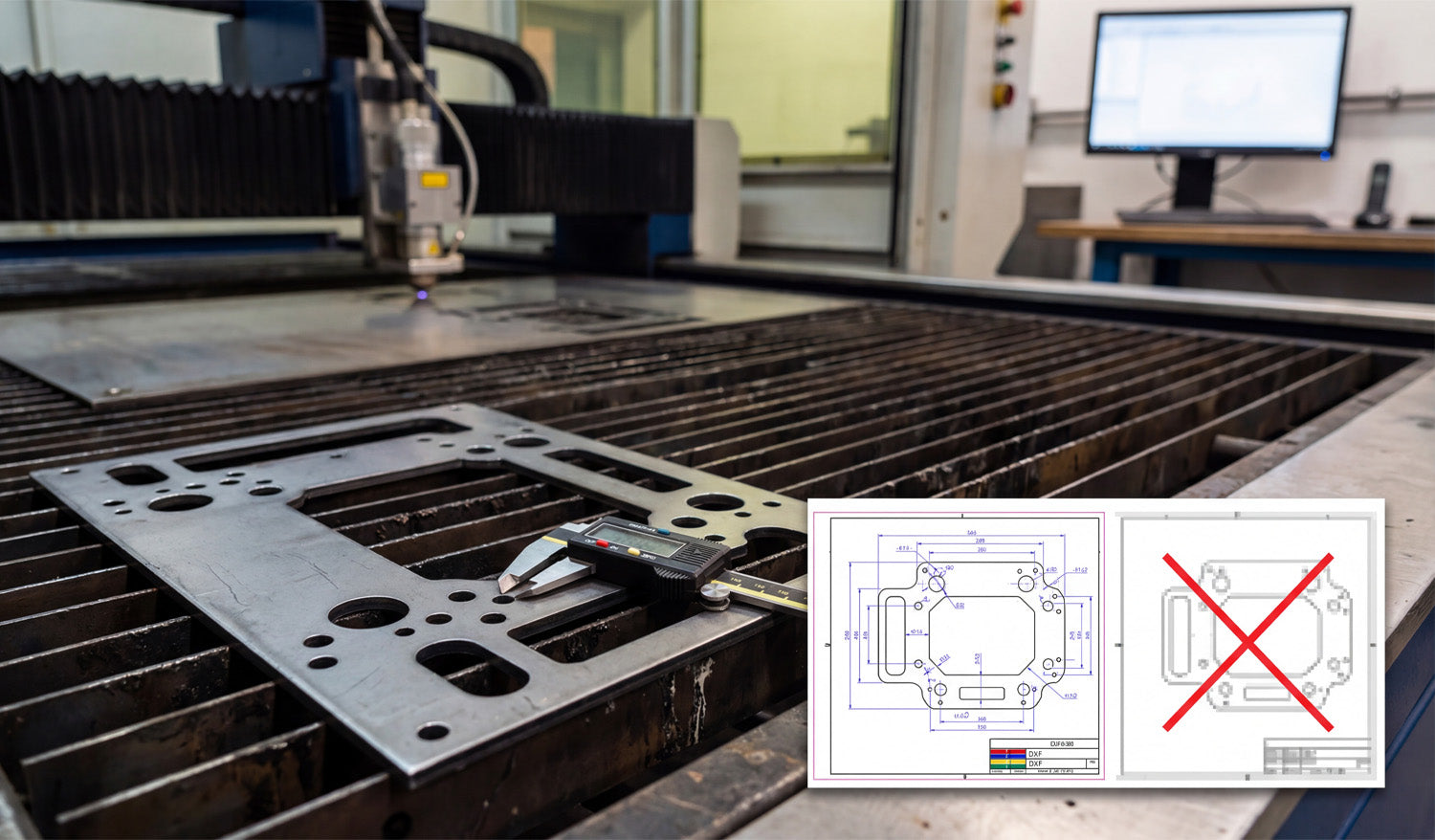
Precision is the currency of the CNC world, and as the photo illustrates, the difference between a profitable part and a piece of scrap metal often comes down to the quality of your source file. Whether you are cutting heavy-duty mounting plates for automotive applications or intricate decorative panels, your CNC machine—be it laser, plasma, or waterjet—relies entirely on the mathematical precision of vector data. Understanding why a "clean" DXF file is mandatory, and why a standard image file simply won't work, is the first step toward achieving the kind of tight tolerances shown by the digital caliper in the image.
You Can't Cut Pixels: Vector vs. Raster
Look at the overlay graphic in the image. On the right, you see a pixelated, blurry representation of a part (often a JPEG or PNG). On the left, you see a crisp, blue-lined technical drawing (DXF). This is the battle between Raster and Vector.
A CNC machine is a blind robot; it follows coordinates, not pictures. If you try to feed it a raster image (made of pixels), the machine sees nothing but noise. It needs a vector file (DXF), which consists of mathematical paths—lines, arcs, and nodes—that tell the torch exactly where to travel. If you attempt to use auto-tracing software on a low-quality image, you often end up with "jagged" lines. This causes your machine to stutter, resulting in rough edge quality and dross buildup that ruins the part.
The Caliper Test: Why Accuracy Matters
The digital caliper measuring the bolt hole in the photo represents the ultimate test. If your design requires a 10mm hole for a specific bolt, a clean DXF file ensures that the machine cuts a perfect circle at exactly that dimension (accounting for kerf width).
When you use poorly optimized files or bad conversions:
- Circles become ovals: The geometry distorts, making assembly impossible.
- Dimensions drift: A part meant to be 10 inches wide might come out as 9.9 inches or 10.1 inches due to thick, fuzzy lines in the design phase.
- Wasted Material: Metal is expensive. Every time you have to re-cut a part because the holes didn't line up, you are throwing money into the scrap bin.
Sourcing "Cut-Ready" Files
To ensure your business stays profitable, you need to eliminate the guesswork. You should be spending your time cutting and shipping, not fixing broken nodes or open contours in CAD software. Professional fabrication shops rely on verified, engineered DXF libraries to guarantee that what they see on the screen is exactly what comes off the table.
If you are looking to test your machine's accuracy with high-quality vectors, you can start by downloading from our Free DXF Files collection. For those ready to access a massive library of verified, commercial-ready designs, our Full Access Bundle offers the reliability you need to put that caliper to work with confidence.




