

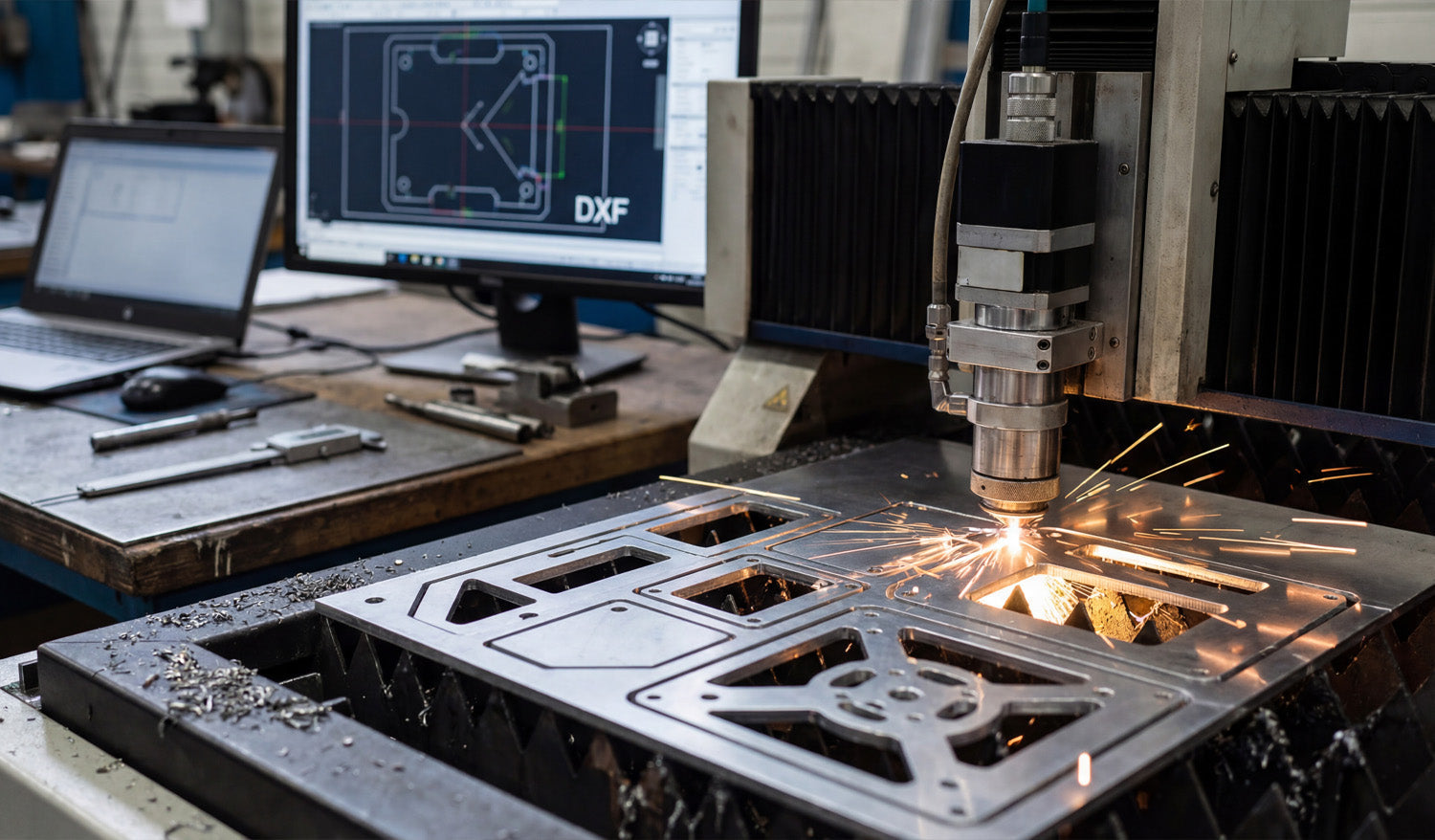
DXF files are essential for high-precision CNC projects because they carry clean, exact vector geometry from your CAD software to the machine without guesswork, distortion, or hidden surprises.
High Precision Starts with Reliable Geometry
Every tight-tolerance CNC part begins as a drawing. If that drawing is fuzzy, approximate, or full of errors, the finished part will be the same. DXF (Drawing Exchange Format) was created to move precise 2D geometry between different systems while keeping:
- Exact coordinates for lines, arcs, and curves.
- Stable units (millimeters or inches) that do not shift on import.
- Predictable entities that CAM software can turn into accurate toolpaths.
For high-precision work—fixtures, plates, jigs, brackets, and templates—this level of geometric reliability is non-negotiable.
DXF vs. Image-Based Files: No More Guessing
One of the easiest ways to lose precision is to start from the wrong file type. Bitmaps and screenshots may look fine on screen, but they force your software to guess at edges.
- Raster images (JPG, PNG, TIFF) store pixels, not coordinates. When you trace them, tiny stair-steps and noise become part of the geometry.
- DXF files store pure vector data. Every corner and radius is defined by numbers, not by pixel edges.
That difference matters when you are cutting tight-fitting tabs, aligned bolt patterns, or parts that must repeat perfectly from one batch to the next.
Consistent Units and Scale for Tight Tolerances
Precision is impossible if you are not sure how big the part really is. DXF is designed to keep units and scale under control.
- You define units once in CAD (mm or inches); the DXF passes that geometry directly to CAM.
- Dimensions and reference lengths in the DXF let you verify size after import.
- Scaling mistakes—parts 10× too big or small—are easy to spot and avoid.
For high-precision CNC work, this consistency means less time measuring and more time cutting parts you can trust.
Layer Control for Multi-Step Precision Jobs
High-precision projects often mix different operations on the same part: through cuts, counterbores, engraving, and reference marks. DXF layers make this complexity manageable.
- Separate layers for outside profiles, pockets, holes, engraving, and reference edges.
- Each layer can map to different tools, depths, feeds, and speeds in CAM.
- Reference geometry (centerlines, datums, alignment marks) stays in the file without ever being cut.
This layer structure helps you align critical features, maintain datums, and repeat complex setups with the same accuracy every time.
Exact Curves for Smooth Toolpaths
High precision is not just about hitting the right size—it is also about smooth motion. DXF describes arcs, circles, and splines numerically, so CAM can generate continuous, flowing toolpaths.
- True arcs cut cleaner holes and slots than lots of tiny line segments.
- Consistent radii reduce stress concentrations and make parts easier to finish.
- Optimized node counts avoid “stop-and-go” motion that leaves faceted edges on tight curves.
When your high-precision design includes bearing fits, dowel pin holes, or smooth mating surfaces, DXF-based arcs make the difference between “close enough” and “right on size.”
DXF as the Glue Between Different CAD/CAM Systems
Many high-precision environments use more than one software tool: one for design, another for simulation, and a third for CAM or nesting. DXF is the common language that keeps geometry consistent across all of them.
- Design in your main CAD software, export a DXF, and import it into whatever CAM is best for your machine.
- Share DXF drawings with suppliers or partners and know they can open them on their own systems.
- Move legacy parts from older CAD tools into new workflows without redrawing from scratch.
When teams, machines, and software change over time, DXF protects the precision built into your original design.
Supporting Tight Fits, Jigs, and Repeatable Fixtures
Some of the most demanding CNC parts are not flashy—they are the jigs and fixtures that hold everything together. DXF fits naturally into this world.
- Fixture plates: Bolt patterns and dowel layouts stay aligned between different parts and revisions.
- Drill templates: Hole locations transfer from CAD to the shop floor without tape measures and layout dye.
- Assembly jigs: Slots, pins, and stops line up exactly, job after job.
Once a DXF-based fixture proves accurate on the machine, you can reuse and re-cut it on demand with complete confidence.
Kerf and Compensation: Designing for Real-World Accuracy
DXF files are also a natural place to embed kerf-aware geometry for high-precision fits.
- Slots and tabs can be drawn with the expected kerf and clearance already considered.
- Standard hole sizes in the DXF match standard tool diameters or kerf-compensated laser/plasma paths.
- Outer profiles and inner features are ready for inside/outside compensation without guesswork.
When CAD, DXF, and CAM all agree about kerf and tolerances, you spend far less time filing and reworking “almost right” parts.
Traceability and Documentation for Quality Work
High-precision work often needs traceability—especially in aerospace, automotive, and industrial applications. DXF supports this kind of disciplined workflow.
- Each revision of a DXF can be tied to a drawing number, date, and version in your documentation.
- Inspection teams can use the DXF as a reference for CMM programs or manual checks.
- Suppliers can receive the same DXF that your internal team uses, reducing misinterpretation.
This combination of clear geometry and documented revisions helps you prove that parts were made to the correct design, not just “close enough.”
Real-World Example: High-Precision Mounting Plate
Imagine a mounting plate that connects a motor to a gearbox. The bolt pattern, pilot diameter, and key slots must all align perfectly. With a well-prepared DXF:
- The bolt circle and center bore come directly from CAD, not from rough measuring.
- Toolpaths follow true circles and arcs, producing round, repeatable fits.
- Multiple plates cut from different batches match each other within the expected tolerance.
Without DXF-level control, you are back to transferring hole locations by hand and hoping they line up from job to job.
DXF in Mixed 3D/2D Precision Workflows
Even in 3D-heavy environments, precise 2D profiles still matter: for gaskets, shims, cover plates, base plates, and laser-cut blanks.
- CAD users extract 2D views or sections from 3D models and export them as DXF.
- Those DXF profiles drive laser, water-jet, or router tables to produce finished blanks.
- The final parts fit into larger assemblies with no manual shaping or adjustment.
In this mixed workflow, DXF is the bridge between 3D design intent and flat, high-precision components on the shop floor.
Conclusion
DXF files are a must for high-precision CNC projects because they deliver exactly what tight-tolerance parts need: clean vectors, consistent units, layer-based control, and a stable bridge between design and machining. Whether you are cutting small brackets, complex fixtures, or mission-critical plates, a carefully prepared DXF lets your CNC machines do their best work—accurate, repeatable, and ready for serious production.




