

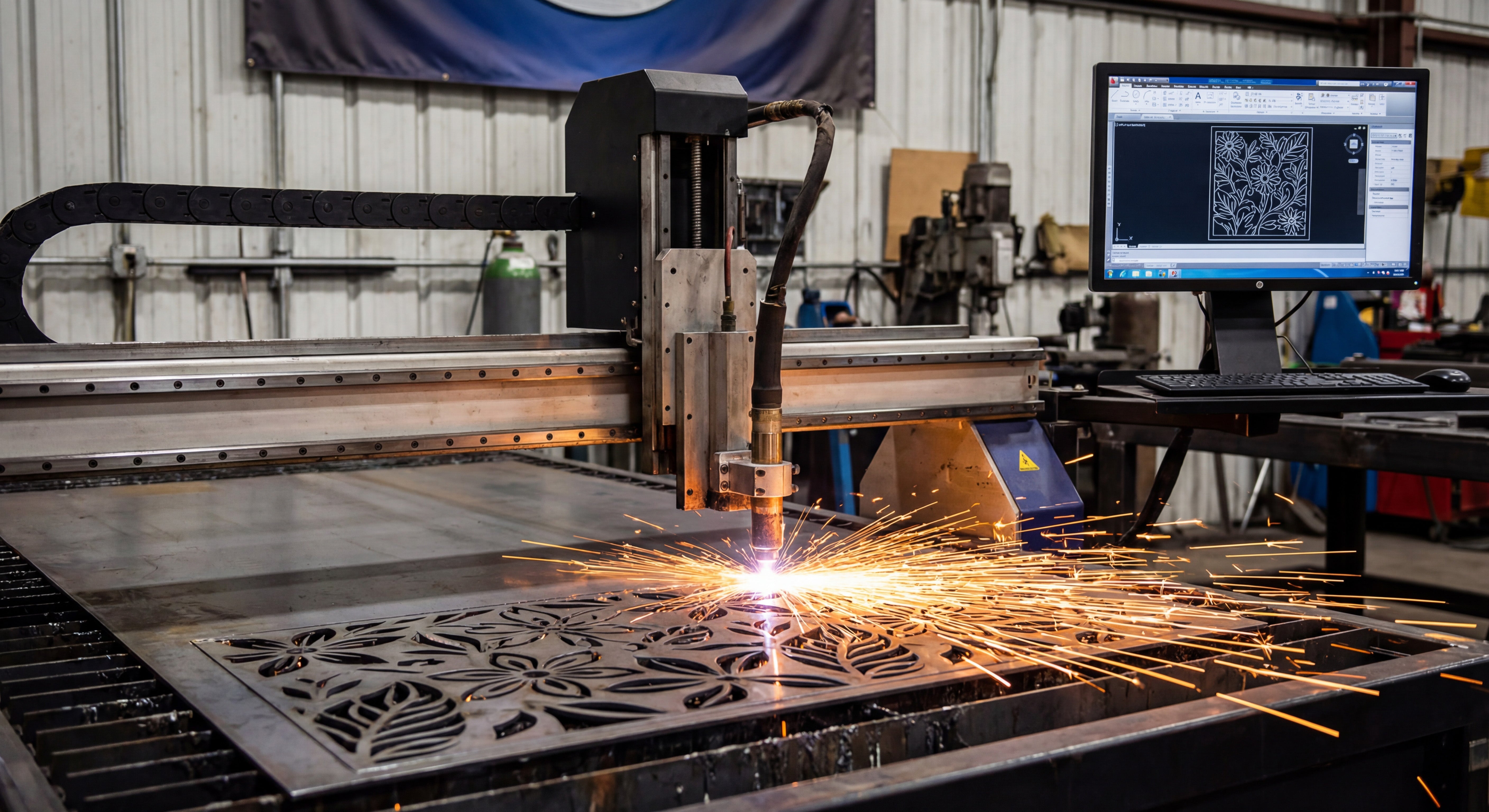
DXF files are ideal for detailed CNC projects because they store precise vector geometry, handle complex shapes, and work reliably across most CAD, CAM, and CNC systems.
What Makes a CNC Project “Detailed”?
Not all CNC jobs are simple rectangles and bolt holes. Many real projects include:
- Fine decorative patterns and filigree.
- Intricate metal art and wall panels.
- Logos, lettering, and monograms.
- Complex slot-and-tab assemblies.
- Multi-part layouts with many small features.
These detailed CNC projects demand clean geometry, stable scaling, and accurate toolpaths. That is exactly where DXF files shine.
Vector-Based Geometry for Sharp Detail
DXF files store shapes as vectors—lines, arcs, and curves defined by math, not pixels. This has several benefits for detailed CNC work:
- Infinite zoom: You can zoom in on tiny areas without losing clarity or introducing blur.
- Smooth curves: Arcs and splines produce flowing motion on the machine instead of jagged, stair-stepped edges.
- Precise control: You can define exact radii, angles, and distances for every element of the design.
For intricate signs, patterns, and artwork, this vector foundation is essential to keep detail crisp and accurate.
Excellent Support Across CNC Software and Machines
DXF is one of the most widely supported formats in the CNC world. This is especially important for detailed projects, which often move through multiple tools and workflows.
- Design tools: Most CAD and vector programs can open, edit, and save DXF files.
- CAM systems: Laser, plasma, router, and water-jet CAM software almost always support DXF import.
- Machine controllers: Many controllers or their companion tools read DXF directly or through a simple conversion step.
When you work with complex detail, you do not want to redraw your design just to switch software or machines. DXF lets you keep a single, consistent design file across your entire workflow.
Layers and Colors for Organizing Complex Operations
Detailed CNC projects often require more than one kind of operation. DXF files support layers and, in many systems, colors that can be mapped to different tasks.
- Use one layer for outer profiles, another for inner cutouts.
- Place engraving, scoring, or marking on separate layers.
- Keep construction lines, guidelines, and notes on a non-cutting layer you can hide later.
This structure makes it much easier to manage detailed designs with thousands of elements. You can quickly turn operations on or off, adjust settings layer by layer, and avoid mistakes during setup.
Clean Scaling Without Losing Detail
Because DXF files are vector-based, they scale up or down without becoming blurry or blocky. For detailed CNC projects, that means:
- You can create multiple size versions of the same design (small, medium, large) from the same DXF.
- Logos and artwork stay sharp even when resized for different products.
- You can adapt one design to different machines and sheet sizes by scaling it appropriately.
The key is to check minimum feature sizes after scaling. As long as your smallest bridges, gaps, and text remain above your machine’s cutting limit, DXF handles detail very well at varying scales.
Better Toolpath Generation for Intricate Shapes
CAM software can generate much better toolpaths when it receives clean DXF geometry. This is especially important for projects with many small curves, corners, and internal cutouts.
- Stable motion: Smooth DXF curves translate into steady movement, which improves edge quality.
- Smarter ordering: CAM tools can easily cut inner features first, then outer profiles, to protect fine details.
- Controlled kerf compensation: With predictable geometry, you can apply kerf offsets and still keep delicate shapes accurate.
For detailed metal art or technical parts, this combination of clean input and intelligent toolpaths is crucial for success.
Easy Editing and Iteration for Complex Designs
Detailed CNC projects rarely stay the same forever. Customers want changes, dimensions shift, and you may want to refine the design for faster cutting. DXF files make these adjustments easier.
- You can edit individual nodes and curves without redrawing the entire part.
- You can add or remove detail in specific areas while keeping the rest of the design intact.
- You can use boolean tools (union, subtract, intersect) to merge or modify complex shapes.
Instead of starting from scratch, you can keep improving your DXF over time and build a richer, more refined library of detailed designs.
Reliable Reuse for Product Lines and Repeat Jobs
Once you have a detailed DXF design that cuts well, it becomes a reusable asset.
- Use the same design across different materials (steel, stainless, aluminum, wood, acrylic).
- Offer multiple versions of a product line simply by adjusting size and thickness in your CAM setup.
- Run repeat orders with confidence, knowing the design has already been tested and optimized.
Over time, a library of proven DXF files for detailed CNC projects can become a major competitive advantage for your shop or brand.
Handling High Detail on Different CNC Machines
Laser Cutting
- Lasers are ideal for fine detail, and DXF geometry lets them follow extremely tight paths.
- DXF-based designs help you dial in power and speed while keeping delicate areas intact.
Plasma Cutting
- Plasma has a wider kerf, but a good DXF lets you manage detail within those limits.
- By controlling minimum feature size in your DXF, you can still achieve impressive detail in metal art and signs.
CNC Routers
- Routers rely on bit diameter; DXF files allow you to design corners, pockets, and contours that respect tool size.
- Detailed inlays, signs, and 2.5D carvings all benefit from precise DXF geometry.
Tips for Getting the Most Detail from DXF Files
- Start with clean vectors: Avoid auto-traced artwork that is noisy or overloaded with nodes.
- Design with real kerf in mind: Make sure your smallest elements are larger than your tool width.
- Test cut small sections: Try a portion of your detailed design on scrap material before running a full sheet.
- Optimize curves: Simplify excessive nodes for smoother machine motion without losing important shape.
- Organize layers: Use layers for different detail levels, like fine engrave paths versus full-depth cuts.
Conclusion
DXF files are ideal for detailed CNC projects because they combine precise vector geometry, strong software support, layer-based organization, and easy scalability. Whether you are cutting intricate metal art, branded signage, or complex mechanical parts, a well-prepared DXF file gives your CNC machine the clear instructions it needs to reproduce even the smallest details with confidence. By designing, organizing, and testing your DXF files carefully, you unlock the full potential of detailed CNC work on laser, plasma, router, and other cutting systems.




